Your team shares the work. You still own your day.
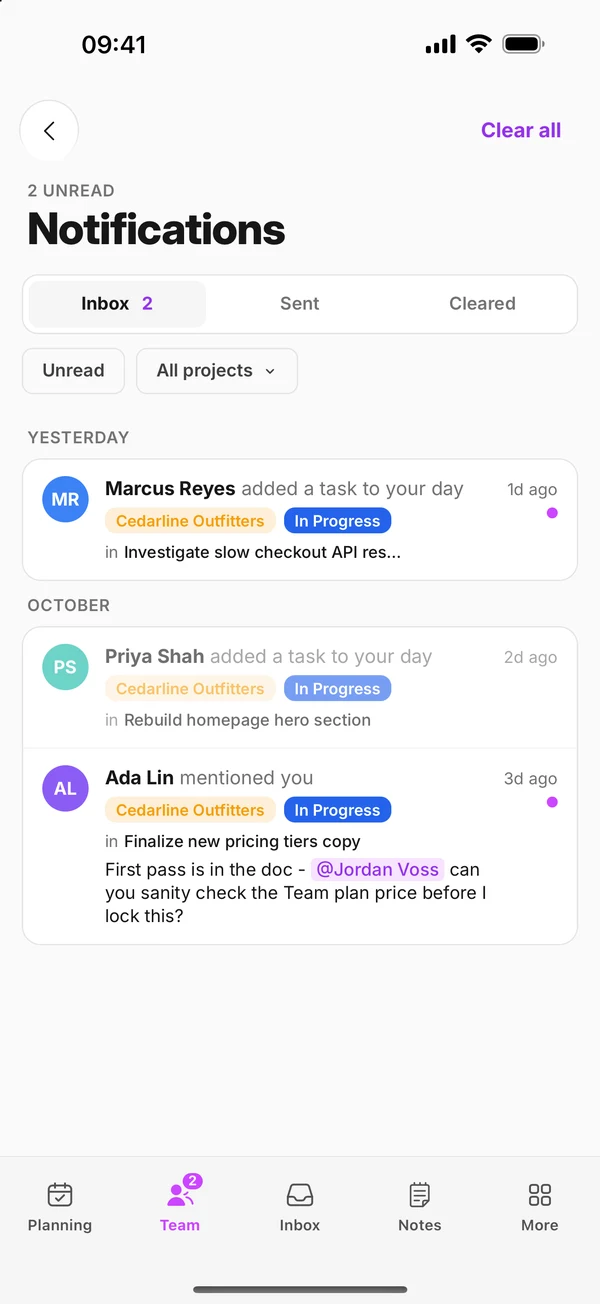
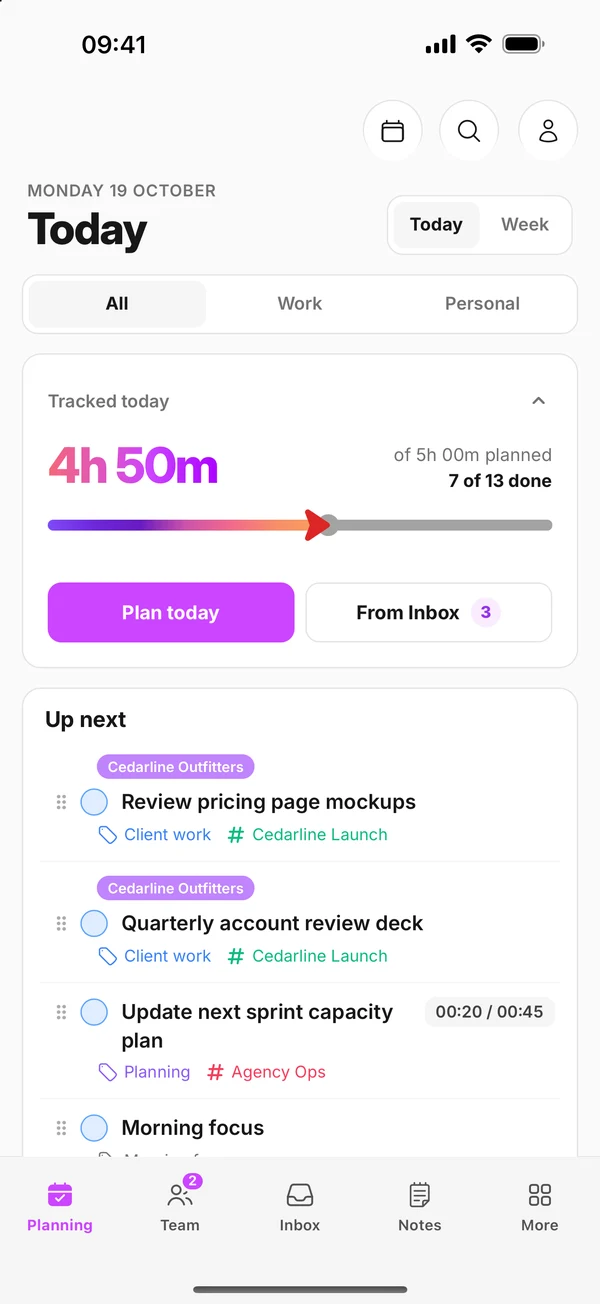
One shared project for the work, and a private daily plan for every person. Plan a team task into your day and its status syncs back to the project. Talk a task through in a voice comment and Zaphiri writes up the transcript.
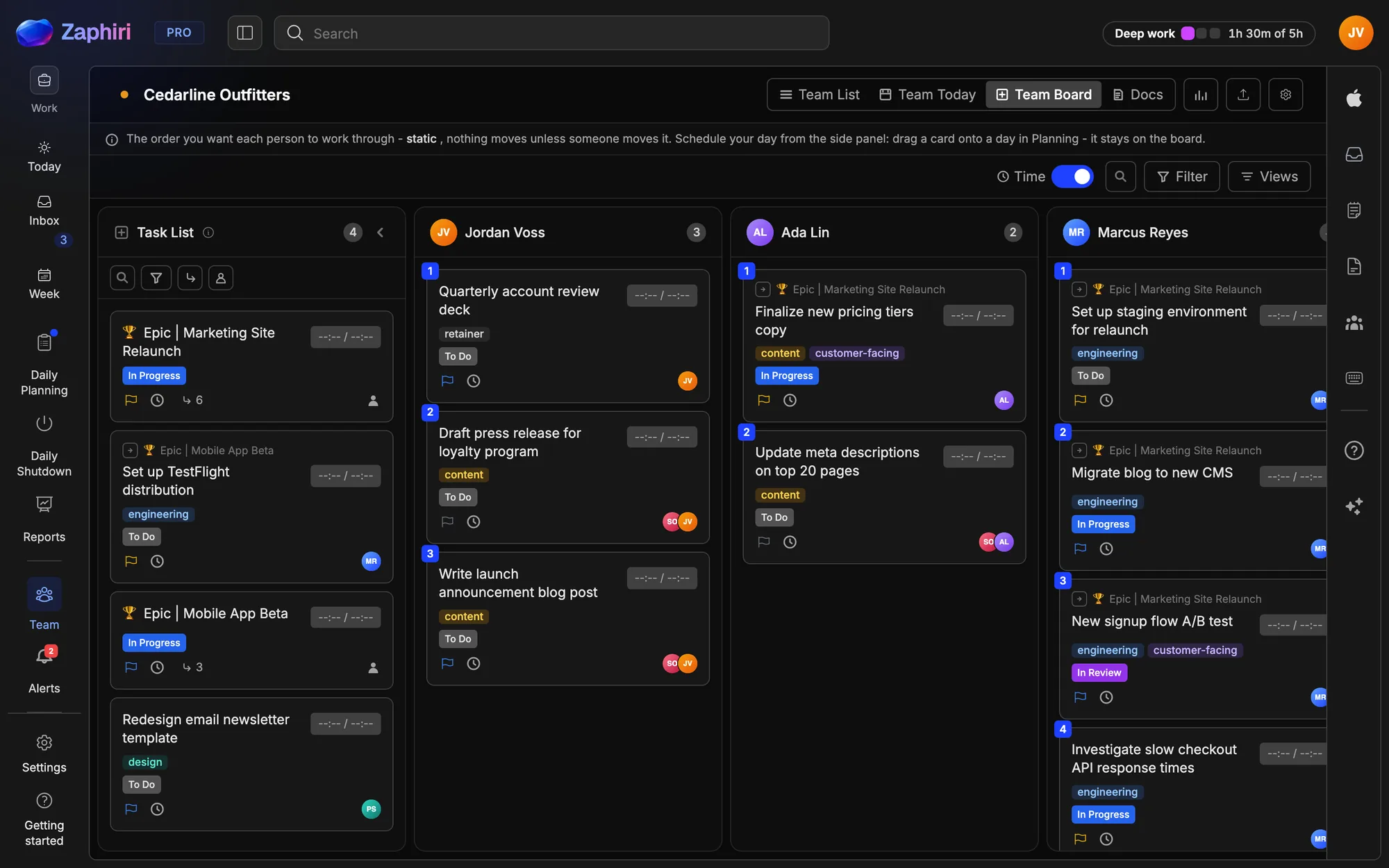
The gap
Your team has a board. Your people have real days.
Project tools show what the team owes. Daily planners show what one person can actually do today. Most tools never connect the two, so being assigned a task never creates the time to do it.
Before you choose a team tool
Five things it should get right.
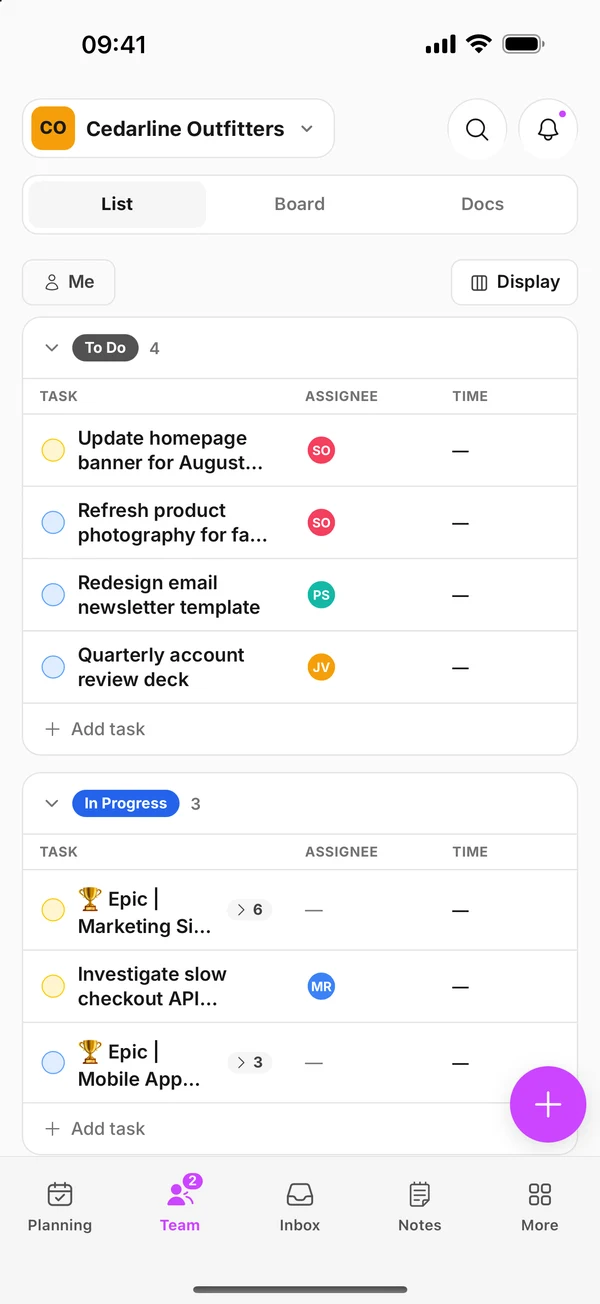
- 01 Shared work lands in each person's day. A task on a board still has to find time on someone's calendar. In Zaphiri: Plan any team task into your day, or plan one for a teammate from Team Today. Its status syncs back.
- 02 Each person's plan stays private. People plan honestly when the whole team isn't watching. In Zaphiri: The team sees the shared task and its status. Your personal tasks, notes and the rest of your schedule stay yours.
- 03 People can leave without losing their history. Contractors and consultants work across many clients. In Zaphiri: Leave a project and you lose the board, but the days you planned and the notes you made stay in your Zaphiri.
- 04 You control what AI costs. Paying for AI seats nobody uses adds up fast. In Zaphiri: On Team Pro, share one company key for the project, or let each person use their own.
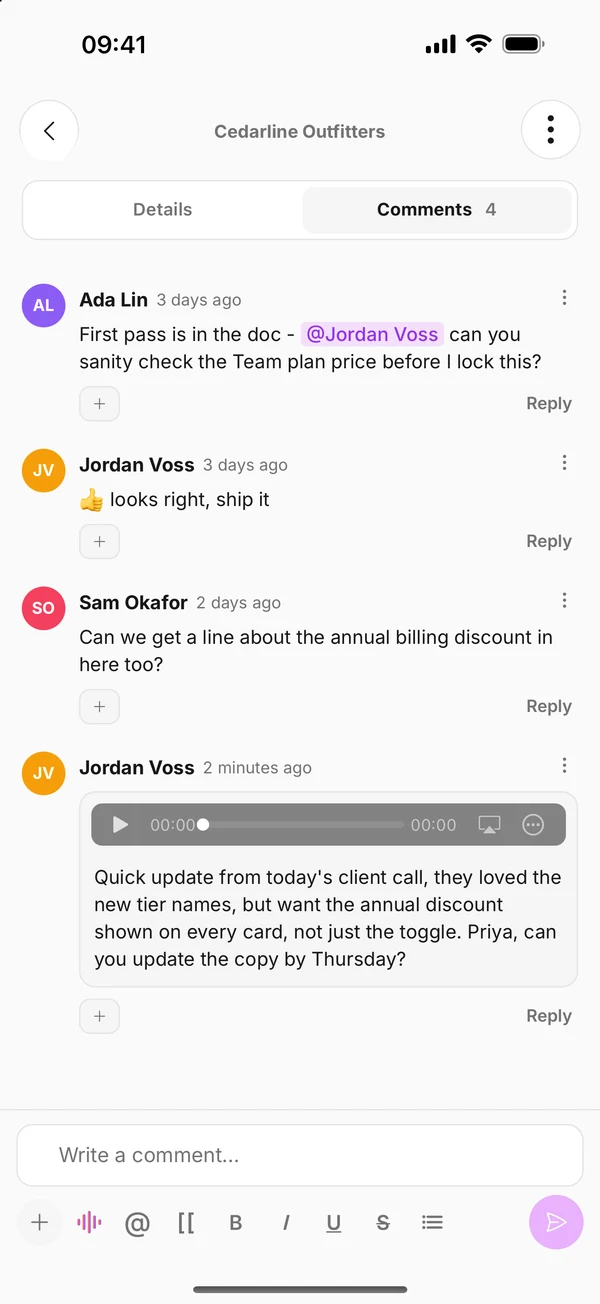
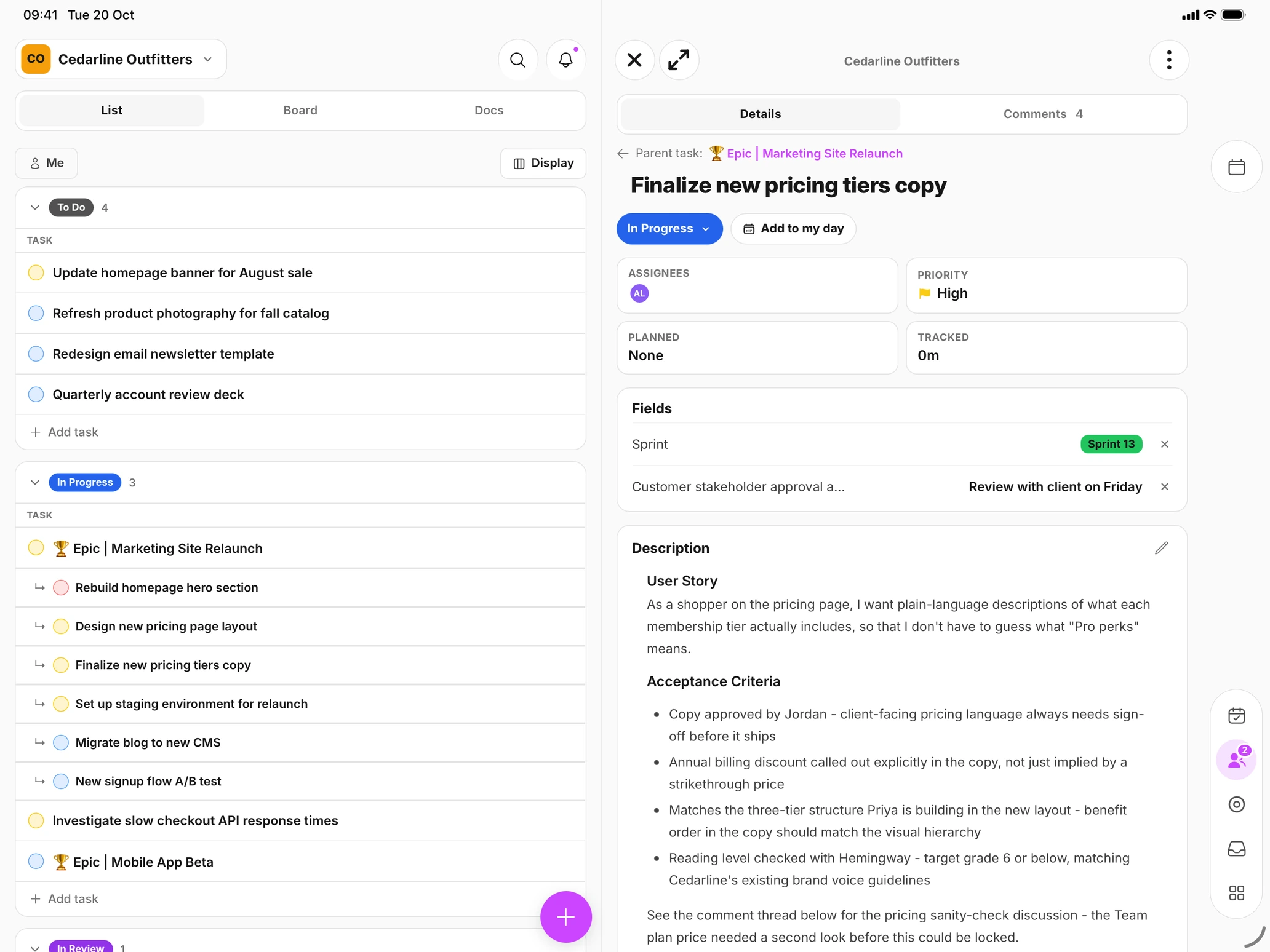
- 05 The conversation stays with the work. Updates scattered across chat and email lose their context. In Zaphiri: Comment on any task or doc, or just talk: a voice comment is transcribed after you post, so teammates can read it, search it, or play it back.
Inside a project
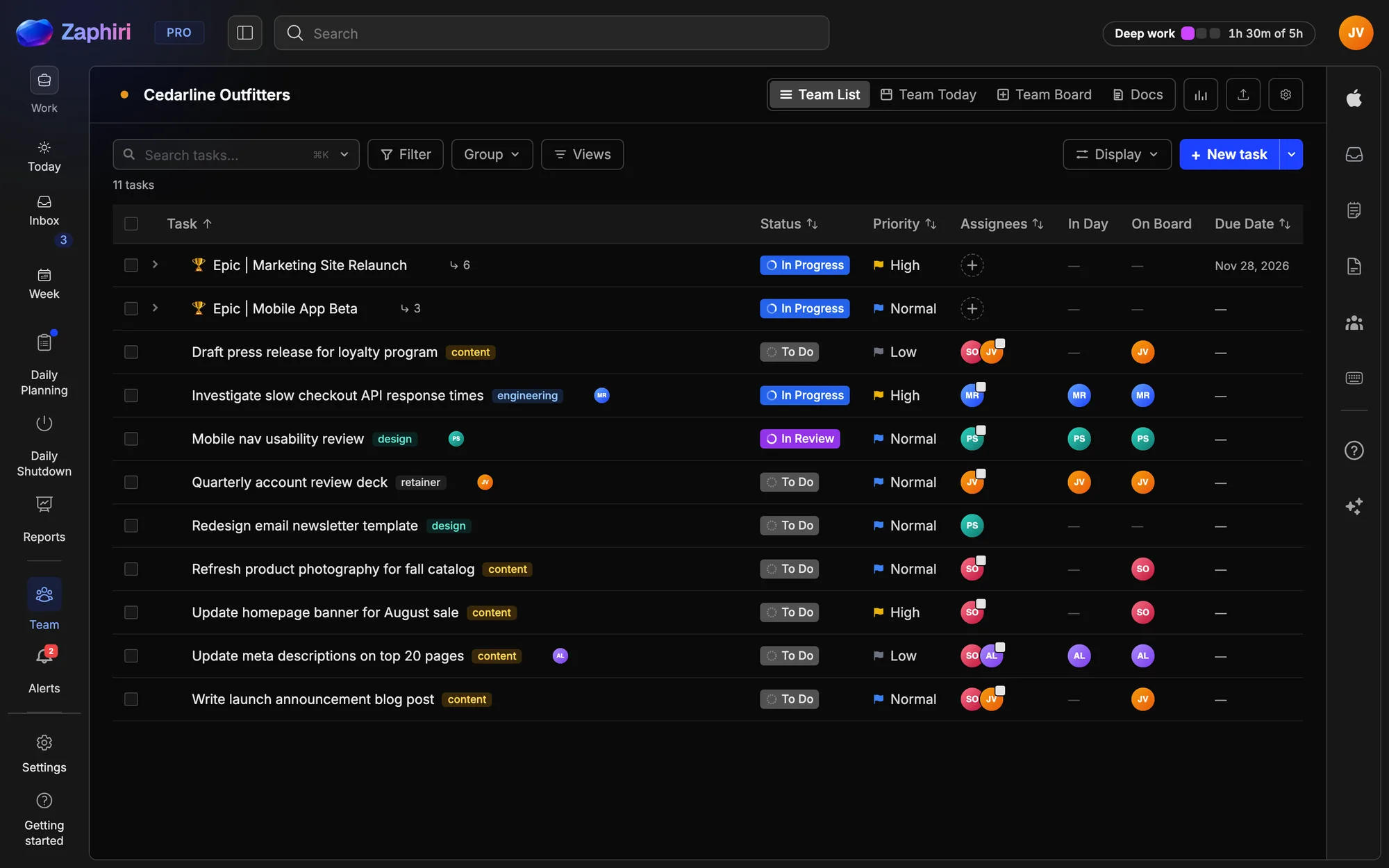
Four views. Zero setup.
Project reports roll up from the planning your team already does, with totals and per-member breakdowns for owners.
Privacy, by architecture
Leave the project. Keep your history.
Built for consultants, contractors and fractional operators who work across many companies without their systems ever mixing.
Ask Zaphiri
Your AI. Your key. Your bill.
On Team Pro, share one company Anthropic or OpenAI key with the whole project, or let each person use their own. You never pay for AI access someone doesn't need, and we never resell AI at a markup.
Automate everything
An API your agents can actually drive.
Create and update tasks, change status, and add comments and notes from a terminal, a script or Claude Code. Webhooks fire when tasks and comments change.
curl -X POST https://tickup-api.mytickup.com/api/v1/team/projects/$PROJECT_ID/tasks \
  -H "Authorization: Bearer $ZAPHIRI_TOKEN" \
  -H "Content-Type: application/json" \
  -d '{ "title": "Write release notes for 2.4" }'
Bring your work with you
Start from where your team already is.
Import in minutes.
Bring in a spreadsheet, a document or a whole ClickUp workspace, mapped to projects, with subtasks intact.
GitHub on the task.
Link a repository and each task shows its branches, commits and pull requests, with statuses that can move on their own.
Requests from anyone.
A Service Desk gives clients and colleagues an intake form, no account needed. Every request lands as a task your team can triage.
Two Team plans. Start today.
Both include 10 people and grow 10 at a time. Sign up and invite your team yourself, or talk to us about bringing Zaphiri to a whole department.
Team
- Unlimited shared projects and tasks
- Shared lists, assignments and comments
- Solo planning for every member
- Solo Pro for the workspace owner
- 10 GB shared storage
Team Pro
- Everything in Team
- Solo Pro for every full member
- Team Board and Team Today
- Team time tracking, reports and exports
- One shared AI key for the whole project
- 50 GB shared storage
Both run on Zaphiri Cloud. If your organisation needs a dedicated, privately hosted Zaphiri, we scope that with you.